Pages
Connect your internal
teams with your users.
Use Bnder Pages as the public surface for your product. Publish documentation, expose booking links, and give customers a support portal that stays connected to your tickets, tasks, and knowledge base.
One public surface for docs, booking, and support
Bnder Pages turns your internal work into something customers can actually use. Publish self-service knowledge, share branded booking flows, and add a public ticket system without stitching together separate tools.
- Publish public documentation and help content directly from the same knowledge workflow your team already uses internally.
- Run branded booking pages on your own domain with live availability, routing rules, and confirmations.
- Let customers open tickets, follow replies, and move from answers to execution without leaving the same public environment.
Public Documents & Resources
Share your documents from the app directly with your users. Create public pages for documentation, FAQs, and resources that anyone can access without needing an account.
Help Pages
Create comprehensive help pages to assist your users. Organize information clearly and provide step-by-step guides to ensure your users get the support they need quickly.
Ticket system on your public Pages
Add the full ticket-system front door to your public Pages experience. Customers can open support requests, continue conversations in public ticket threads, and stay connected to the same execution and knowledge flow your team already uses inside Bnder.
Booking links on your own domain
Publish booking links on your domain, show real-time availability, and capture qualified meeting requests with email confirmation.
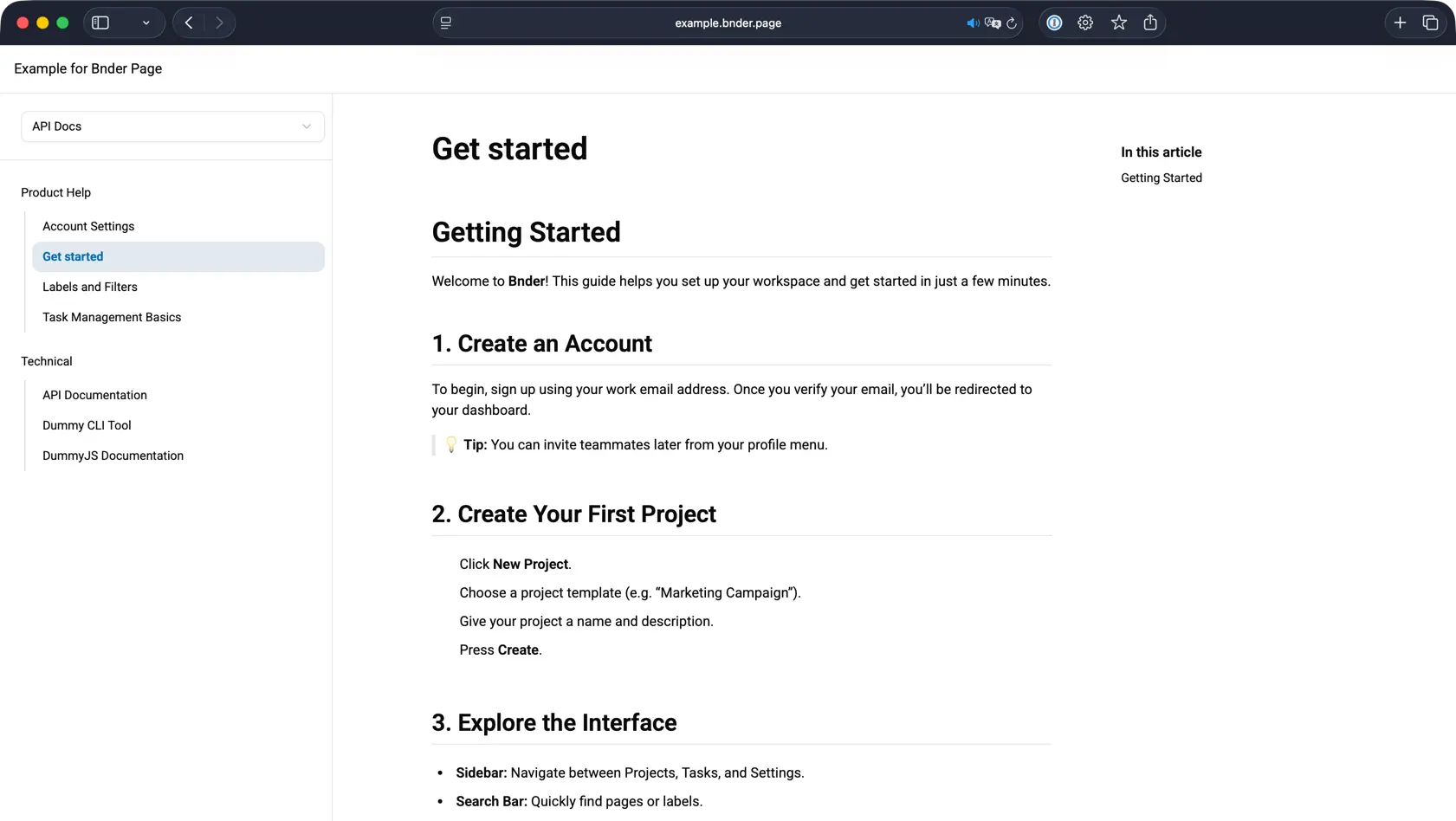
Public Documents & Resources
Share your documents from the app directly with your users. Create public pages for documentation, FAQs, and resources that anyone can access without needing an account.
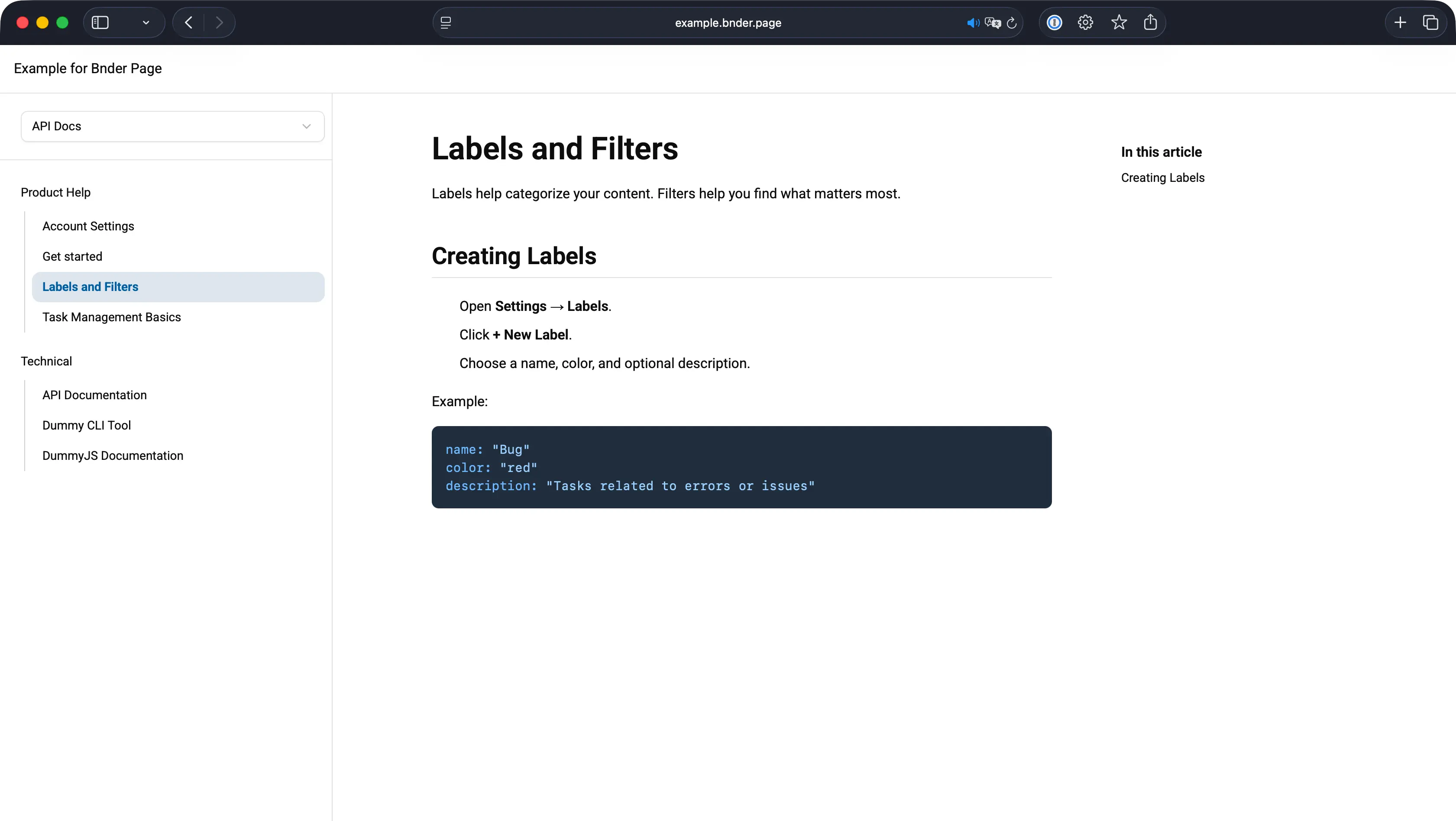
Help Pages
Create comprehensive help pages to assist your users. Organize information clearly and provide step-by-step guides to ensure your users get the support they need quickly.
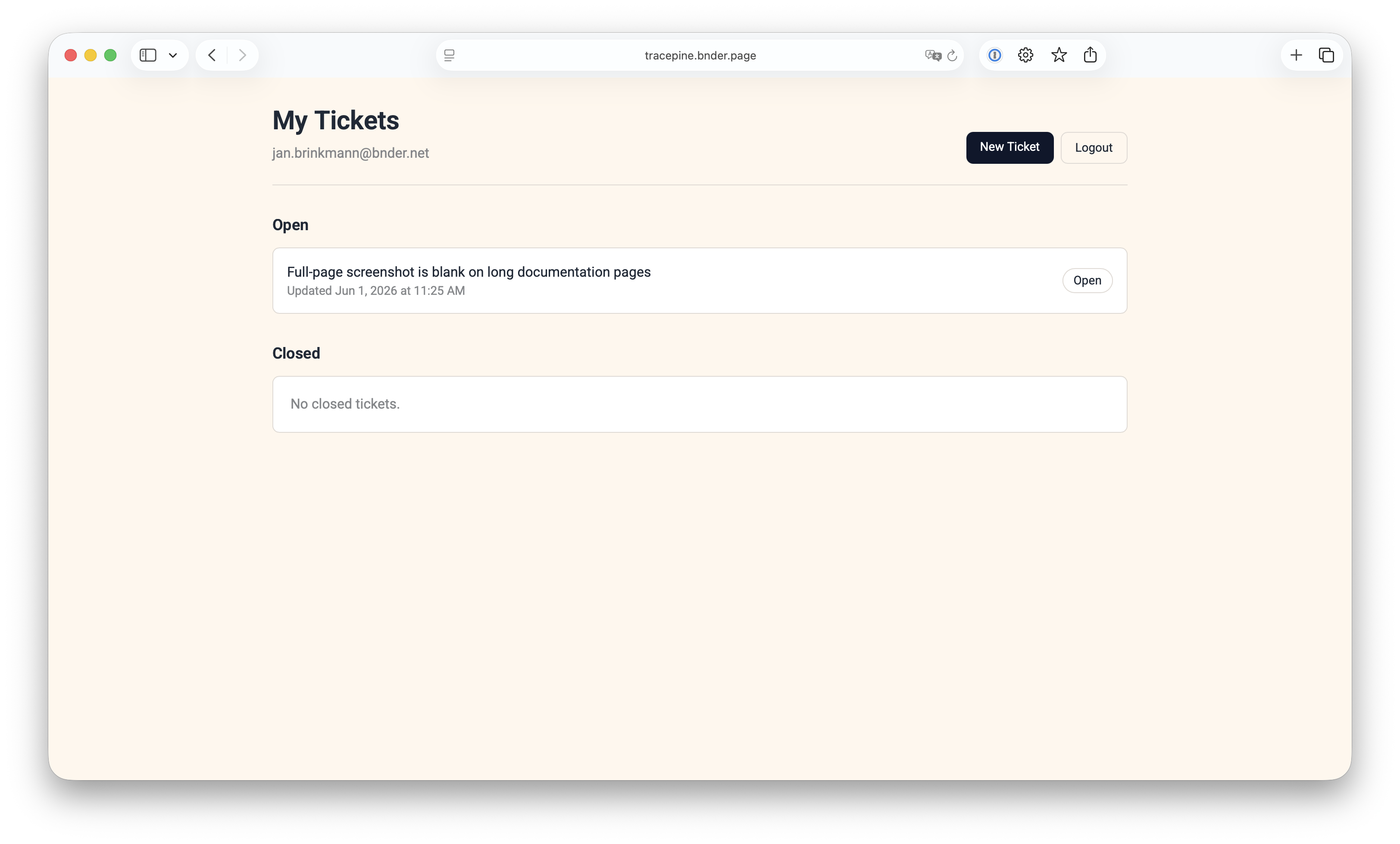
Ticket system on your public Pages
Add the full ticket-system front door to your public Pages experience. Customers can open support requests, continue conversations in public ticket threads, and stay connected to the same execution and knowledge flow your team already uses inside Bnder.
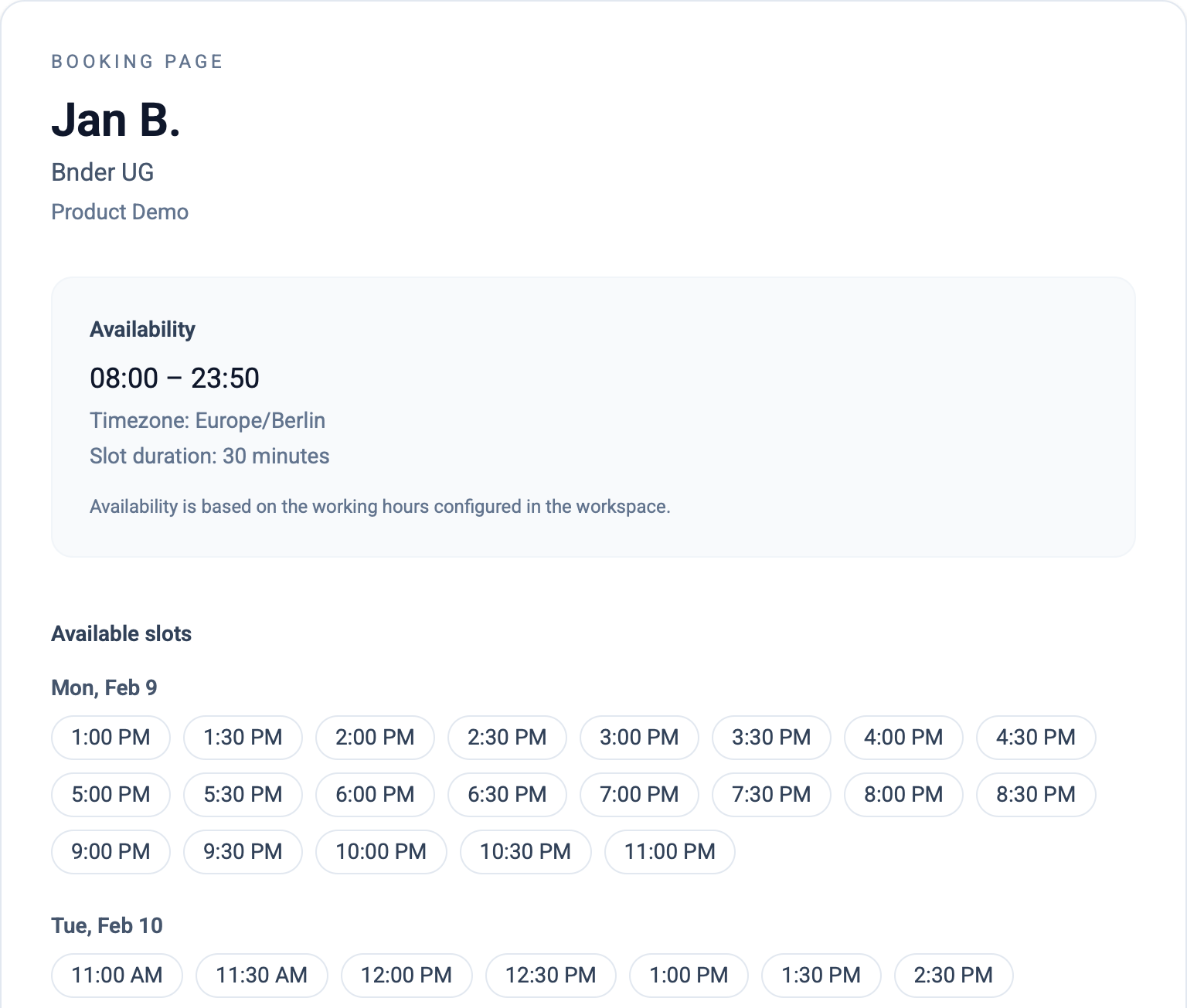
Booking links on your own domain
Publish booking links on your domain, show real-time availability, and capture qualified meeting requests with email confirmation.
Ticket system on your public Pages
Ticket system on your public Pages
Add the full ticket-system front door to your public Pages experience. Customers can open support requests, continue conversations in public ticket threads, and stay connected to the same execution and knowledge flow your team already uses inside Bnder.
- Collect customer requests through a branded public form instead of sending people into a disconnected external helpdesk.
- Turn incoming tickets into linked tasks and documents so support, product, and operations stay aligned on one workflow.
- Move repeated answers into public documents to reduce future ticket volume while keeping the original ticket history intact.
Customer intake on your domain
Expose the public request form on the same branded Pages surface where customers already read documentation and book time with your team.
Linked execution behind every request
Support tickets can create linked tasks, reference documents, and hand off follow-up work without losing the original customer context.
Public self-service grows over time
Closed tickets can turn into knowledge drafts and public documents, so the same Pages surface gradually reduces repeated inbound support.
Pages
Custom Domain
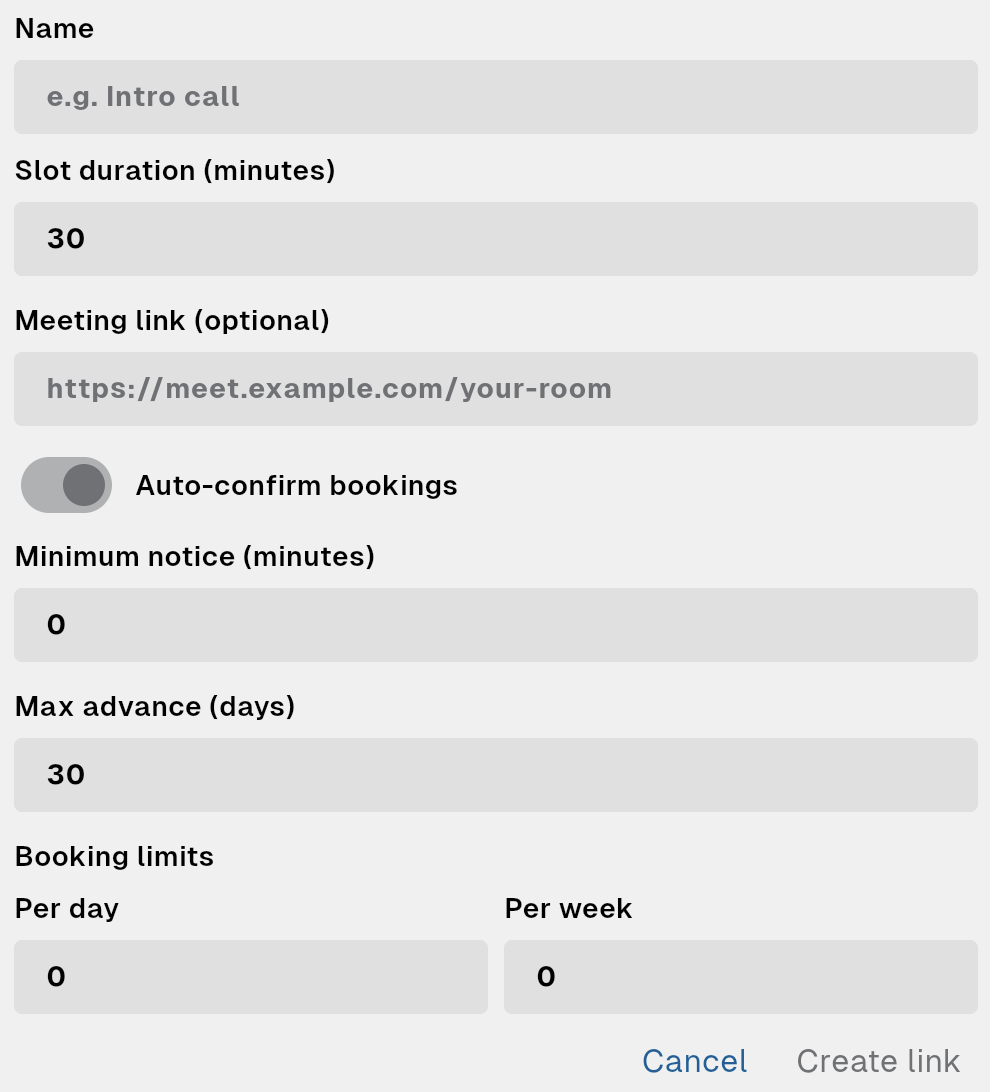
Define slot duration, working hours, working days, minimum notice, max advance window, and booking limits per day or week. Great for sales calls, onboarding, and support sessions.
Pages
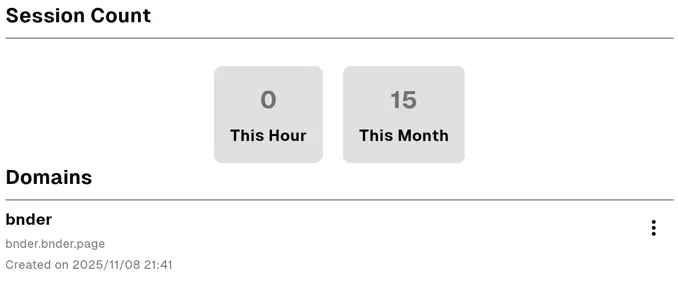
Free Subdomain
Get a free subdomain on bnder.page for your pages. Customize your URL to reflect your brand and make it easy for users to find your content online.
Pages
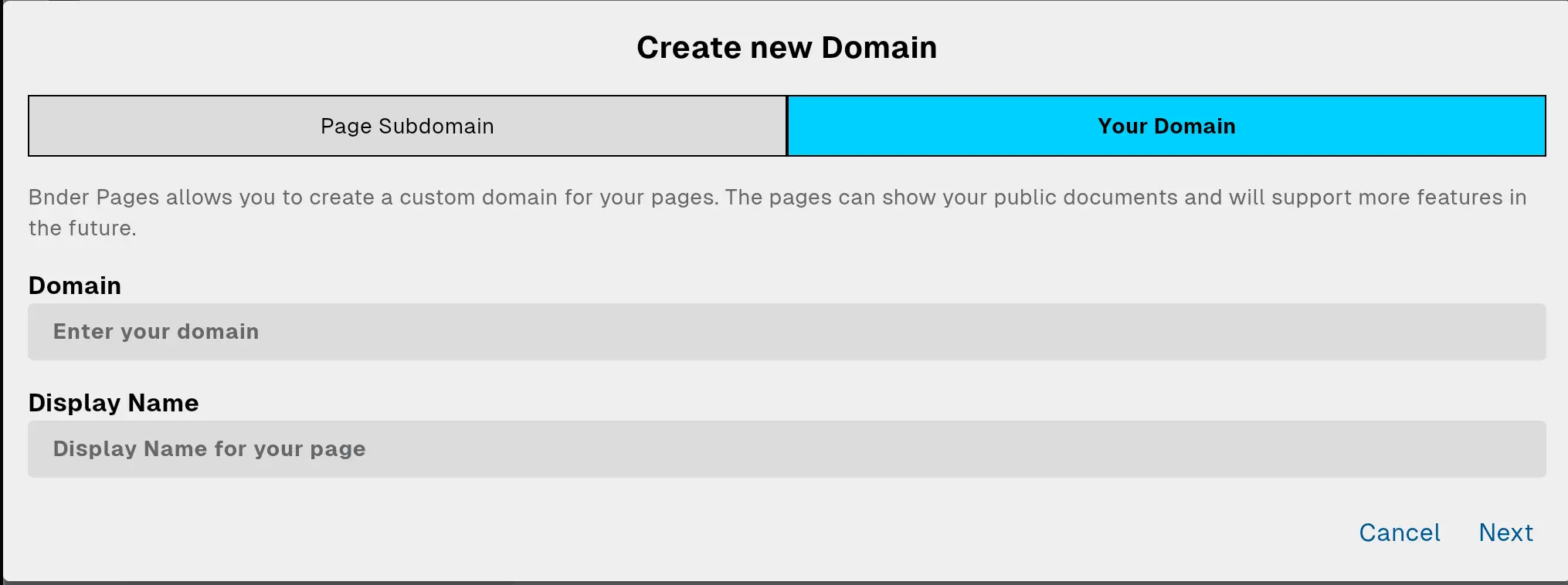
Custom Domain
Use your own custom domain for a professional look. Seamlessly integrate Bnder Pages into your existing website infrastructure and maintain brand consistency.
Booking links on your own domain
Control availability and meeting rules
Define slot duration, working hours, working days, minimum notice, max advance window, and booking limits per day or week. Great for sales calls, onboarding, and support sessions.
Booking links on your own domain
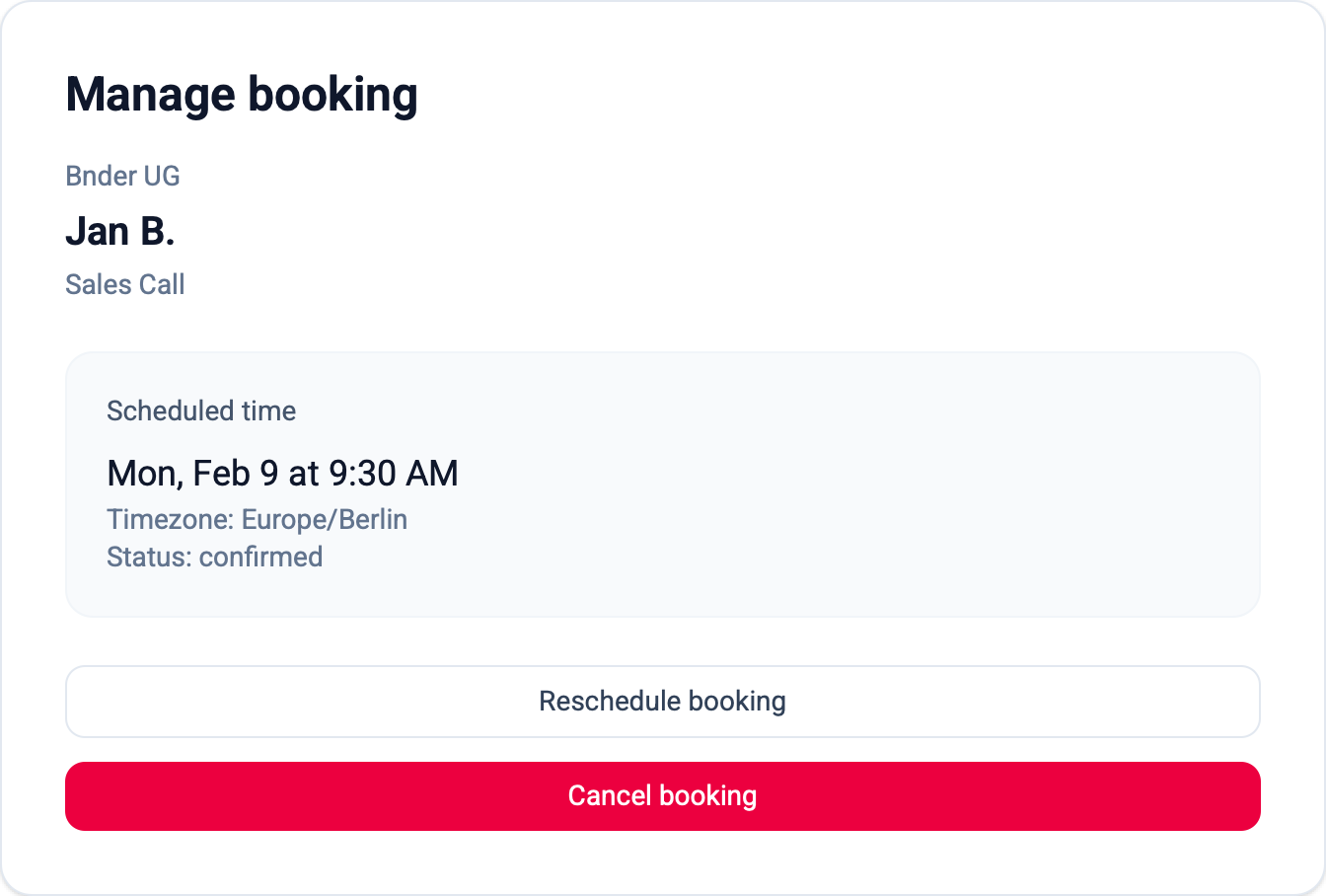
Confirm, notify, and stay in sync
Choose auto-confirm or manual approval. Requesters get email updates, owners get notifications, and confirmed bookings are linked to your calendar workflow.