CRM for small teamsKnow the customer. Keep the next step in sight.
For support and customer-facing teams that need more than a contact list: bring people, organizations, requests and follow-ups into one workspace.
CRM quick startFrom a customer request to a completed follow-up
A customer asks for a change. Keep their context with the work, from the first conversation to the final update.
1. Capture the customer context
Create a person and link their organization. Record the conversation and the details your team needs, or preview a CSV import before applying it.
2. Link the work and the commitment
Connect the customer's ticket and task to their record. Track the next action and the promise you made, so colleagues can pick up the conversation.
3. Follow through and record the outcome
Use saved views to find open customer work. Update the linked task, record the outcome and keep the relationship history for the next conversation.
A customer model that fits your business
Keep people and organizations alongside your own record types. Configure fields, terminology, layouts and lifecycle stages; use saved views and segments to focus on the customers who need attention.
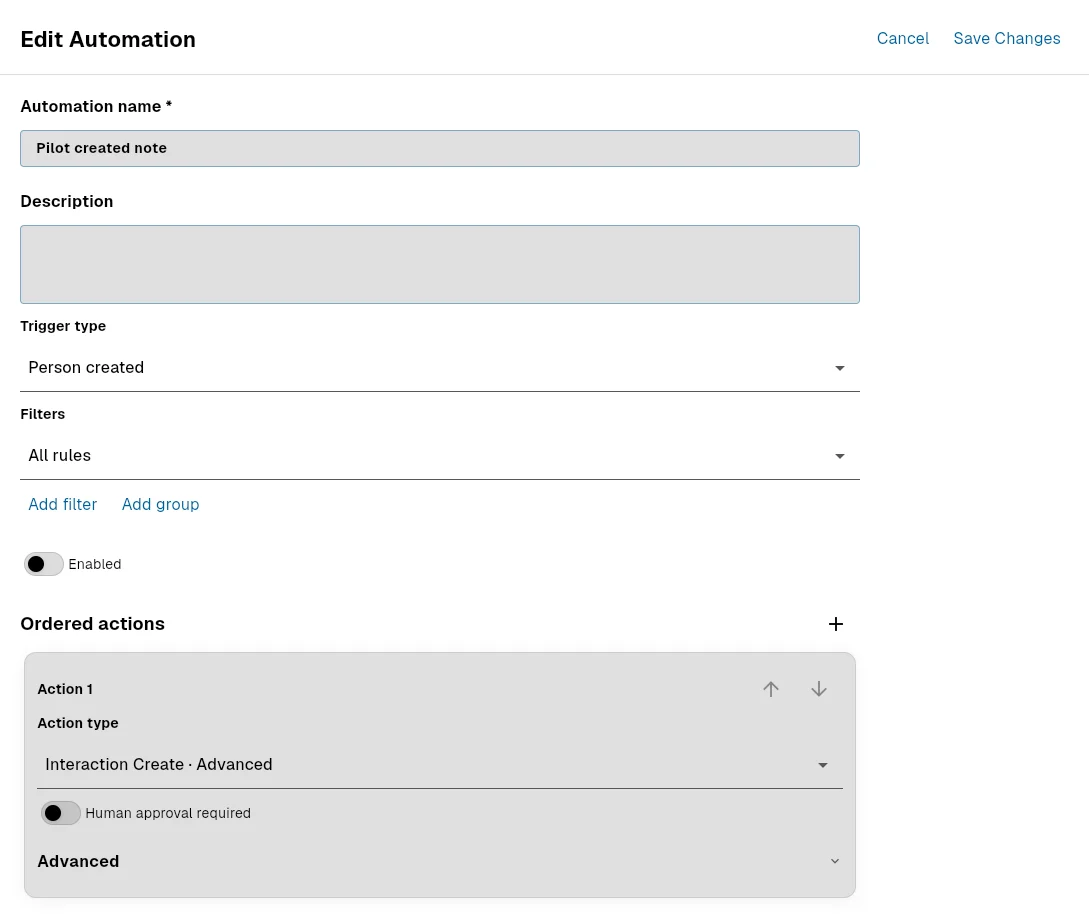
Turn repeatable steps into automations
Capture structured information with forms and use CRM automations for recurring work. Review run history and approvals when a workflow needs a human decision.
Give each teammate the right access
Viewing, editing, configuration, export, merge and connections have separate permissions. A paid seat increases allowances or unlocks actions; it does not grant permission to customer data.
Import CSV on every plan, without using provider slots. Creating external provider connections requires a Pro seat, permission and available capacity. Provider availability depends on the integration.
Try a real customer workflow on Free
Free includes 25 active people, organizations and custom records in total. Each Starter seat adds 1,000 records; each Pro seat adds 5,000 to the shared workspace. Custom record types are capped at 15.
Start your CRM in three steps
- Open CRM in your workspace. Create a person and an organization, then link them. Ask your administrator for CRM access if the area is unavailable.
- Add the fields you actually need. Record a conversation and link a task or ticket to the customer, so the next step has context.
- Save a view of customers needing follow-up. Try it with a few records before importing more; review the import preview and your plan limits first.